Currency for iOS 82.2.2
Publisher Description
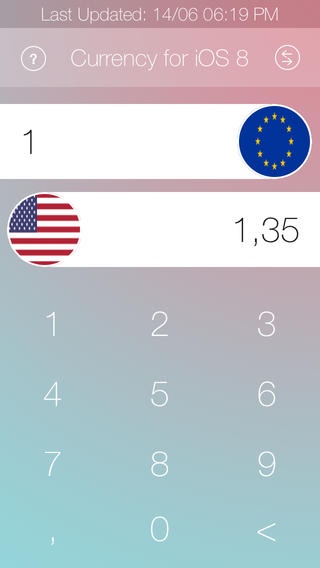
New. Simple. Amazing.
Currency+ 2014 is the simplest and most powerful exchange calculator on the market.
With the new OFFLINE feature and an updated interface is it easier than ever to convert
+ ONLINE and OFFLINE
+ 45 Currencies
+ User-friendly interface
Currency+ 2014 includes over 45 currencies which are listed below:
Euro
U.S. Dollar
Japanese Yen
U.K. Pound Sterling
Chinese Yuan
Russian Ruble
Danish Krone
Swedish Krona
Norwegian Krone
Algerian Dinar
Argentine Peso
Australian Dollar
Bahrain Dinar
Botswana Pula
Brazilian Real
Brunei Dollar
Canadian Dollar
Chilean Peso
Colombian Peso
Czech Koruna
Hungarian Forint
Icelandic Krona
Indian Rupee
Indonesian Rupiah
Iranian Rial
Israeli New Sheqel
Kazakhstani Tenge
Korean Won
Kuwaiti Dinar
Libyan Dinar
Malaysian Ringgit
Mauritian Rupee
Mexican Peso
Nepalese Rupee
New Zealand Dollar
Rial Omani
Pakistani Rupee
Philippine Peso
Polish Zloty
Qatar Riyal
Russian Ruble
Saudi Arabian Riyal
Singapore Dollar
South African Rand
Sri Lanka Rupee
Swiss Franc
Thai Baht
Tunisian Dinar
Peso Uruguayo
Requires iOS 7.0 or later. Compatible with iPhone, iPad, and iPod touch.
About Currency for iOS 8
The company that develops Currency for iOS 8 is Jakob Mikkelsen. The latest version released by its developer is 2.2.2.
To install Currency for iOS 8 on your iOS device, just click the green Continue To App button above to start the installation process. The app is listed on our website since 2013-06-17 and was downloaded 6 times. We have already checked if the download link is safe, however for your own protection we recommend that you scan the downloaded app with your antivirus. Your antivirus may detect the Currency for iOS 8 as malware if the download link is broken.
How to install Currency for iOS 8 on your iOS device:
- Click on the Continue To App button on our website. This will redirect you to the App Store.
- Once the Currency for iOS 8 is shown in the iTunes listing of your iOS device, you can start its download and installation. Tap on the GET button to the right of the app to start downloading it.
- If you are not logged-in the iOS appstore app, you'll be prompted for your your Apple ID and/or password.
- After Currency for iOS 8 is downloaded, you'll see an INSTALL button to the right. Tap on it to start the actual installation of the iOS app.
- Once installation is finished you can tap on the OPEN button to start it. Its icon will also be added to your device home screen.
